Will My Templates work in Darkroom Booth Photo Booth Software?
[et_pb_section fb_built=”1″ _builder_version=”4.16″ global_colors_info=”{}”][et_pb_row _builder_version=”4.16″ global_colors_info=”{}”][et_pb_column type=”4_4″ _builder_version=”4.16″ global_colors_info=”{}”][et_pb_text _builder_version=”4.16″ global_colors_info=”{}”]
“I’ve been using different photo booth software and I want to upgrade to Darkroom Booth. Will my old print templates work with Darkroom Booth?”
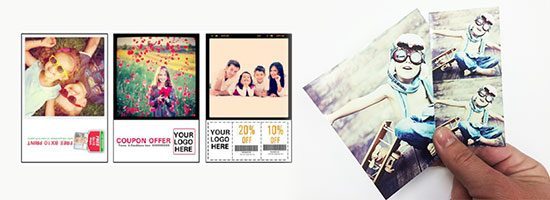
Yes! We’ve helped many photo booth owners and operators make the switch to Darkroom Booth and one of their favorite features has been how easy it is to create screen and print templates in Booth. You can easily convert your templates to work with Booth. And the great news is once you have your template in Booth it is very easy to make changes to text, graphic elements or picture placement. Below are answers to some of the most common template related questions:
Q) What are the advantages of the integrated Template Editor in Darkroom Booth?
A) Darkroom Booth includes a full featured template editor that allows you to quickly and visually edit, modify, and create print templates. The same powerful Template Editor is used to create Booth Screens as well (what the customer sees during the session)! You don’t need Photoshop when you just need to change text like names or dates. Unlike other photo booth software programs that require many files, exact file names and very exact locations, Darkroom stores all the graphics and fonts used in the template in one single file that you can move and share with ease. Most other photo booth programs don’t even let you change what the customer sees during the session.
 Q) Will my templates built in other programs import easily?
A) Yes. Most users won’t “import” templates per se, but will quickly re-create them in Booth. Open Booth, create a new blank template, add your graphics (background, overlay, etc.), then hit save. That’s it! For those of you that have hundreds of templates, we can help you automate this process if necessary. Email support@darkroomsoftware.com or give us a call.
Q) How long does it take to create a print template?
A) We’ve seen new users recreate an existing template in Booth in under 2 minutes start to finish! Experienced Boothers can go even faster. If you need to “batch convert” many templates, contact us and we can show you how this can be accomplished.
Q) When will I need Photoshop?
A) You would only need Photoshop or a similar graphics program if you need to modify logos or bitmapped text/graphics. For instance, if one of your customers gave you their logo and it was on a white background and they wanted it on a transparent background, you (or your customer) would have to edit the logo and save it as a PNG for use in Booth (or any other program for that matter). You might also need a graphics editor if you want to use and edit “super” stylized text (i.e. text that is curved, wavy, or is on fire). This type of text would be saved as a transparent PNG file for use in Booth, just like a logo.
Q) How can I get the most from Darkroom Booth’s template building capability…
A) Get creative! Browse and buy items from stock photography sites like iStockPhoto, 123rf.com, and look at other event items, logos, and graphics. For instance, if you are doing a wedding and the Bride has a theme, have her send some pictures or buy some stock art that you can use with your Booth (and hopefully can upcharge for). It’s so easy to edit templates, you don’t have to be intimidated in creating a custom Booth Theme for each kind of event you do. CLICK HERE to see how to easily create a Booth template from scratch.
Q) When might I need to consider a 3rd party template builder?
A) If you don’t have time or aren’t feeling that creative, make life even easier and buy pre-made templates! We recommend the following companies that specialize in such creative services. These are also great spots for keeping up with all things photo booth.
https://photoboothowners.com/shop
http://www.photoboothtalk.com/category/photo-booth-templates/
[/et_pb_text][/et_pb_column][/et_pb_row][/et_pb_section]